Login

Website planning shouldn't feel like math.

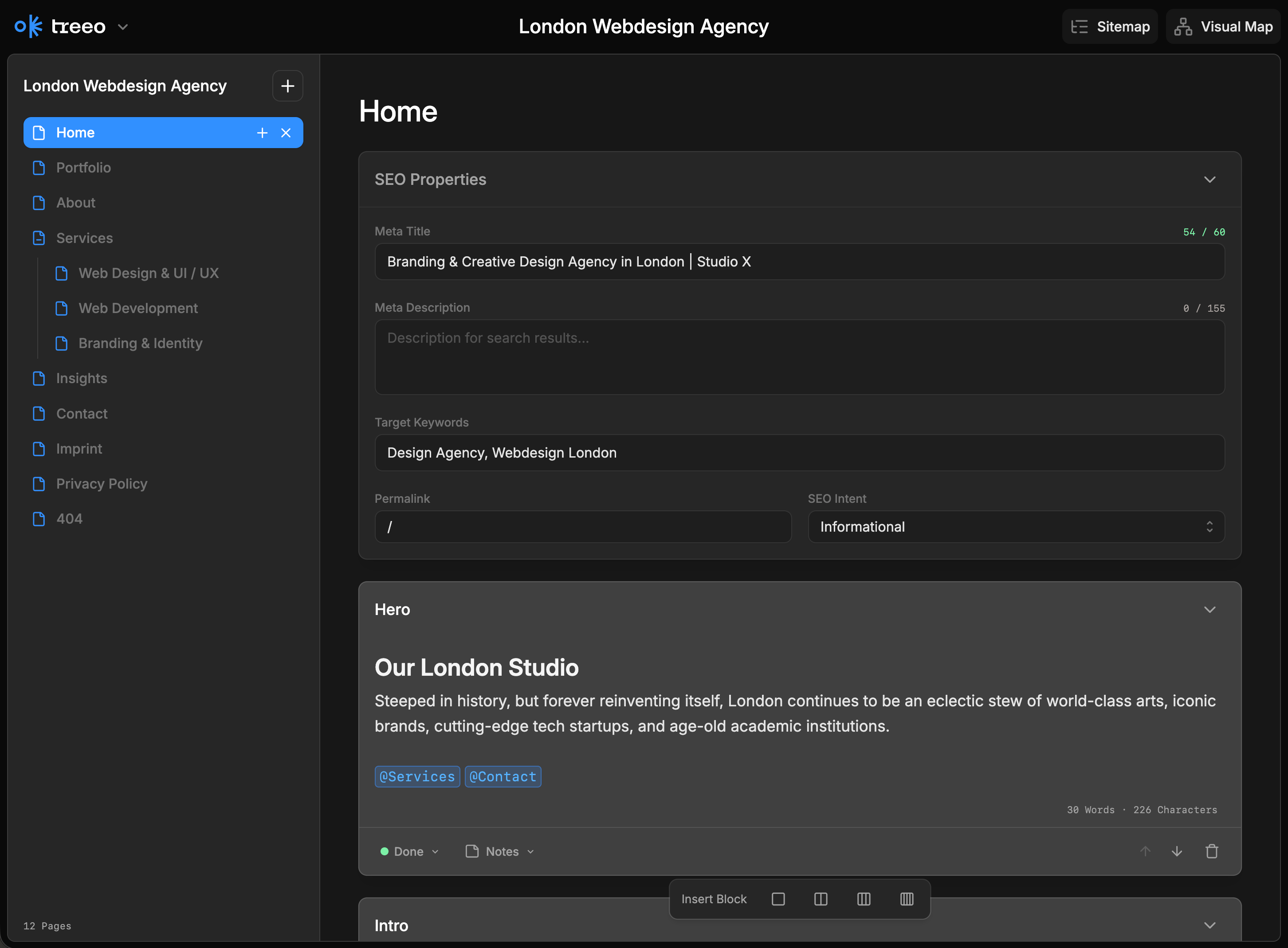
Ditch the spreadsheets. Treeo gives you a visual sitemap and content builder to plan, draft, and launch SEO-optimized pages.
Get started free
UserJot Customer Feedback Board

Built for the way you work

From wireframes to SEO planning, Treeo gives you the tools to organize every detail before you build.

Structure your site, visual first.

From high-level sitemaps to granular content blocks. Treeo helps you build a connected web of pages and refine them with AI-powered drafts.

Smart Links. Clear Architecture.

Use @ to create instant connections between pages. Treeo tracks your internal linking structure, highlighting your most important "pillar" pages so you can see your site's SEO hierarchy at a glance.

Draft, Compare, Evolve.

Don't settle for the first AI response. Generate multiple versions of a content block, mark them as Draft, Alternative, or Final, and compare them side-by-side to find the perfect narrative fit.

Beyond the Spreadsheet.

Stop managing your website in flat docs. Our interactive Tree Map visualizes your entire project, showing you exactly how your content flows and where your strategy needs more depth.

Pricing

Start for free. Upgrade when you're ready. For individuals and teams.

Free

$0
Free forever
1 Free project
20 pages per project
All layout blocks
Internal Linking
Export to JSON
Get Started Free

Pro

$8
per month
Everything in Free, plus:
Unlimited pages per project
All layout options
SEO planning tools
Export to JSON
Go Pro — $8

FAQ

Start for free. Upgrade when you're ready. For individuals and teams.

What is Treeo?
Treeo is a visual content planning tool that helps you organize website structure, write content, and plan SEO before you start building. Think of it as your design doc meets sitemap meets content editor—all in one clean interface.
Do I need technical skills to use Treeo?
Not at all! Treeo is designed for everyone—from content creators and designers to developers and project managers. If you can drag and drop, you can use Treeo.
Can I export my projects?
Yes! Free users can export to JSON. Pro users can export to JSON, XML, Excel, and CSV—perfect for sharing with developers or importing into other tools.
What's the difference between Free and Pro?
The Free plan gives you up to 3 projects with all core features. Pro removes the project limit and adds advanced export formats, team collaboration (coming soon), priority support, and custom branding.
Is my data saved automatically?
Yes! Treeo automatically saves your work as you type. You can also manually save and load projects using the Save/Load buttons in the header.
Can I collaborate with my team?
Team collaboration features are coming soon to Pro plans! For now, you can share exported files with your team or work on shared devices.